/
Permissions
Permissions
- Joseph Huynh
- Tom Chan
Owned by Joseph Huynh
Project permissions are created within permission schemes, which are then assigned to specific projects by JIRA Administrators. Project permissions are able to be granted based on:
- Individual users
- Groups
- Project roles
Note that some permissions are dependent upon others to ensure that users can perform Viewing Feedback in Ticket or View Dashboard.
Instructions
- Click on Satisfaction icon on the Left Navigation
- Choose Permissions tab
- Tick to grant permission to grant access
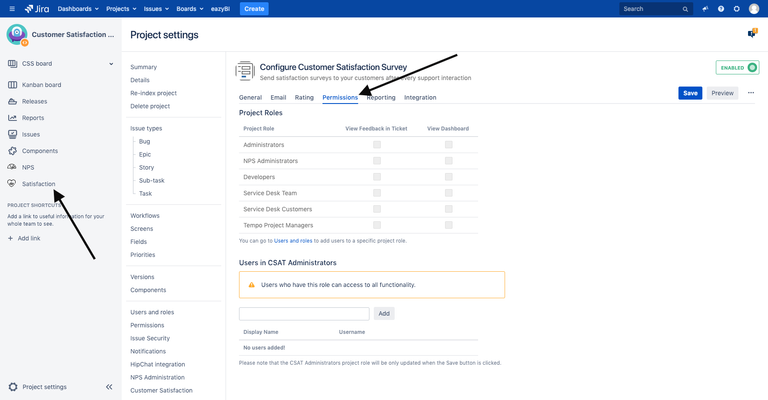
Multiple Projects or Global Permission
You need to have Jira Administrator permission to perform this
Instructions
- Choose
 > Add-ons.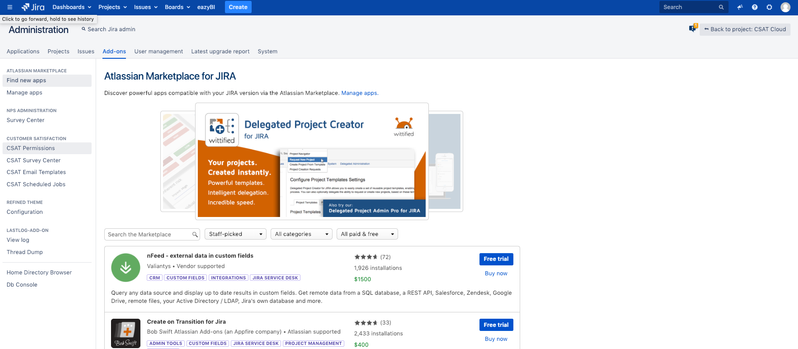
- Select CSAT Permissions to open the Permission page, which displays a list of all permission in your projects.
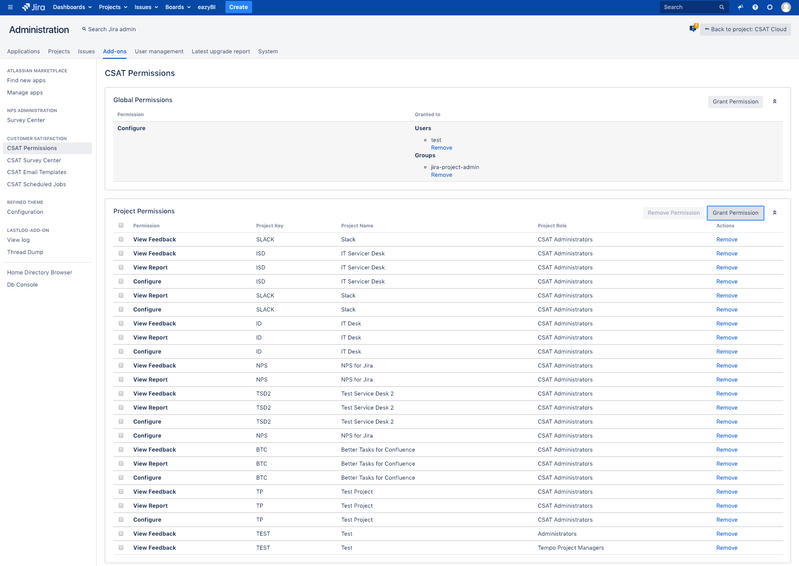
- Click the 'Grant Permission' button.
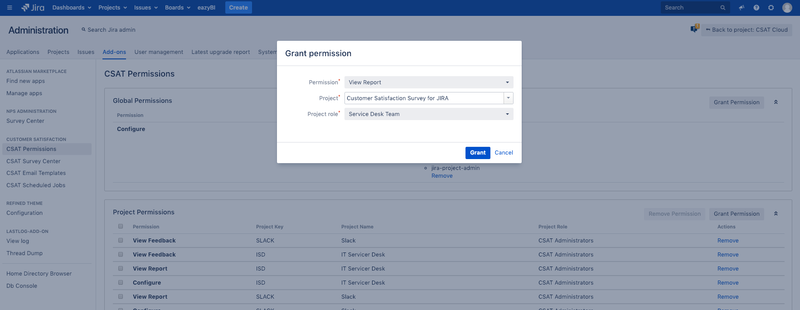 .
. - In the 'Grant Permission' form, choose Permission, Project and Role to grant permission.
- You will return to the 'Permission' page which now contains the newly added scheme.
- Choose
Global permission access will give the same permission to user or role on every project.
Related articles
, multiple selections available,
Related content
Email Configuration
Email Configuration
Read with this
General Configuration
General Configuration
Read with this
CSAT Permissions
CSAT Permissions
Read with this
How to use CSAT
How to use CSAT
Read with this
SMTP server with Basic Authentication
SMTP server with Basic Authentication
Read with this
CSAT Custom Default Translation
CSAT Custom Default Translation
Read with this